Which ROG Xbox Ally Supports microSD Express? Only the X20
Only the ROG Xbox Ally X20 reads microSD Express. What the Ally, Ally X, Xbox Ally and Xbox Ally X take instead, and which card to buy for each.
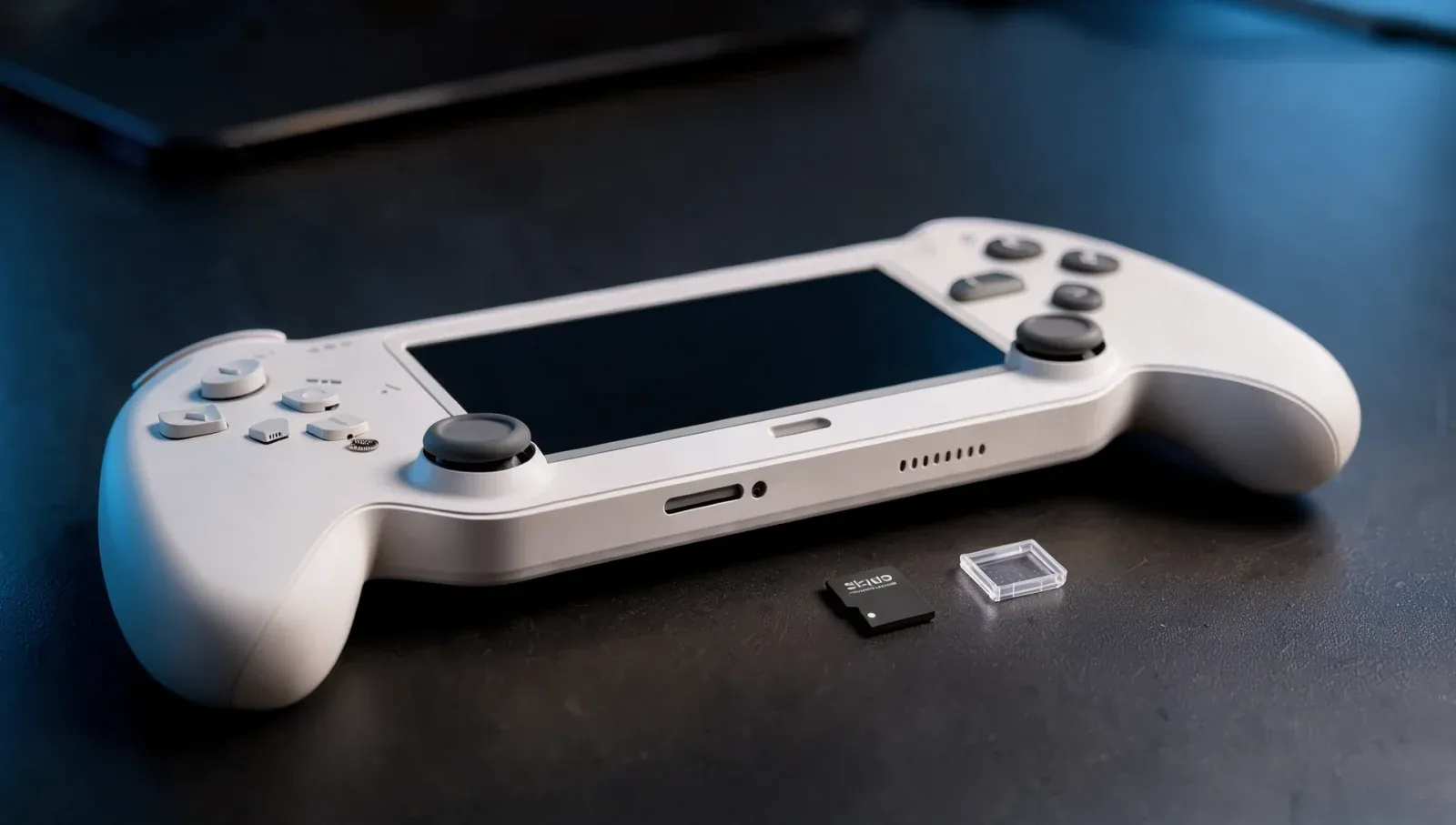
Only one handheld in ASUS's Ally family supports microSD Express: the ROG Xbox Ally X20. The original ROG Ally, the ROG Ally X, the ROG Xbox Ally and the ROG Xbox Ally X all have a UHS-II microSD slot, ASUS confirms in its storage guide of 13 October and on each model's spec sheet. So a microSD Express card only pays off in the X20, and the fastest card for the other four is a UHS-II one. There's one catch going the other way: a UHS-II card in the X20 drops to UHS-I speed.
Which ROG Ally has microSD Express?
From ASUS's spec pages and its SD card guide:
Model | Launched | microSD slot | Internal SSD |
|---|---|---|---|
ROG Ally | 2023 | UHS-II | 512GB, M.2 2230 |
ROG Ally X | 2024 | UHS-II | 1TB, M.2 2280 |
ROG Xbox Ally | 2025 | UHS-II | 512GB, M.2 2280 |
ROG Xbox Ally X | 2025 | UHS-II | 1TB, M.2 2280 |
ROG Xbox Ally X20 | 2026 | microSD Express | 1TB, M.2 2280 |
The X20's spec sheet lists a "microSD Express card reader (supports up to SD v8.0, PCIe Gen4 x1; UHS-I with DDR200 mode)". The other four all list a "UHS-II microSD card reader (supports SD, SDXC and SDHC)". Microsoft's own ROG Xbox Ally page also names microSD Express as an X20 feature, with a footnote that "actual transfer speeds vary depending on the memory card used".
Does the ROG Xbox Ally X support microSD Express?
No. The ROG Xbox Ally X has the same UHS-II reader as the Ally X before it, and ASUS's guide says plainly that it, the Xbox Ally, the Ally X and the original Ally "all feature a UHS-II microSD card slot". The same goes for the cheaper ROG Xbox Ally.
What happens if you put a microSD Express card in an Ally X?
It works, but at UHS-I speed. SanDisk's microSD Express product page says its card "performs at microSD UHS-I speeds when used with microSD UHS-I and microSD UHS-II devices". Samsung rates its P9 Express card at up to 800 MB/s in an SD Express slot and up to 90 MB/s in UHS-I mode. In a UHS-II Ally, you'd pay for Express speed and get the slower figure.
What happens if you put a UHS-II card in the X20?
It also works, at UHS-I speed. ASUS says UHS-II and microSD Express "are two separate standards that are not inherently backwards compatible", so a UHS-II card in the X20 "will fall back to UHS-I speeds". If you're moving from an Ally X to an X20, your old UHS-II card will still hold games, just more slowly.
What's the difference between UHS-I, UHS-II and microSD Express?
ASUS calls them "three generations of the same physical card format" that differ in top speed:
- UHS-I: the basic standard, which ASUS says "tops out around 104MB/s of interface bandwidth". Some cards go faster in "overclocked" readers, up to 200MB/s, and ASUS says the Ally X and newer models support those.
- UHS-II: adds a second row of contacts. ASUS says that "roughly doubles to triples real-world speeds" compared with UHS-I.
- microSD Express: uses a PCIe interface, which ASUS says is capable of "multiple gigabytes per second" on a slot built for it, such as the X20's.
Is the SanDisk microSD Card for ROG Xbox Ally a microSD Express card?
No. SanDisk's official card, sold under Microsoft's Designed for Xbox programme, is rated at up to 200MB/s read, which SanDisk says uses "proprietary technology to reach speeds beyond UHS-I 104MB/s" and needs a compatible device. Write speed is up to 140MB/s on SanDisk's product page (its launch announcement gave up to 150MB/s for the 2TB). SanDisk built it for the ROG Xbox Ally and ROG Xbox Ally X and announced it in September 2025 at these US list prices:
- 512GB: $69.99
- 1TB: $149.99
- 2TB: $299.99
ASUS's guide still uses it as its example of a card in the 512GB to 2TB range it recommends, and Microsoft lists it among the ROG Xbox Ally accessories. It isn't the fastest option for the X20, though: ASUS says "a microSD Express card is your best bet for ultra-fast load times on the X20".
Which microSD Express cards can you buy for the X20?
ASUS hasn't published a list of tested Express cards. Two makers' own pages give these ratings:
Card | Capacities | Rated read | Rated write |
|---|---|---|---|
SanDisk microSD Express | 128GB, 256GB, 512GB, 1TB | Up to 880MB/s | 480MB/s (128GB), up to 650MB/s (256GB, 512GB), up to 800MB/s (1TB) |
Samsung P9 Express | 256GB, 512GB | Up to 800MB/s | Not listed as a sequential figure |
Both makers list a PCIe Gen 3 interface for these cards. The X20's reader is rated for the newer SD 8.0 standard over PCIe Gen 4, so the card, not the slot, sets the ceiling. These are the makers' rated speeds, not measurements in an X20.
Which card should you buy for each Ally?
- ROG Ally, Ally X, Xbox Ally, Xbox Ally X: a UHS-II card is the fastest the slot can use. A UHS-I card is fine for smaller games, and on the Ally X, Xbox Ally and Xbox Ally X a 200MB/s "overclocked" UHS-I card such as SanDisk's official one can run faster than standard UHS-I. Skip microSD Express: it runs at UHS-I speed in these slots.
- ROG Xbox Ally X20: a microSD Express card. Avoid buying a new UHS-II card for it, since it will only run at UHS-I speed.
ASUS's own advice is that a UHS-I card "is plenty" for indie and retro games, and that the faster types "might be worth the extra cash" for large open-world games. MSI's Claw 8 EX AI+ also has a microSD Express reader, if you're comparing handhelds on storage.
What size card should you get?
ASUS recommends 512GB to 2TB and says 2TB is "the maximum supported capacity on all current Ally models". It warns that 256GB "may be a little tight for modern AAA games, given that many can exceed 100GB on their own". On ASUS's figures, 512GB to 1TB currently gives good value per gigabyte.
How do you set up a card on the ROG Xbox Ally?
ASUS says to format it as NTFS before installing games, either on a Windows PC or on the handheld. On the Ally, open Windows Settings > System > Storage > Advanced Storage Settings > Disks & Volumes, expand the SD card reader, choose Properties next to the card's volume and press Format. Formatting erases everything on the card. After that, the Xbox app, Steam, Battle.net, Epic Games, the EA app, Ubisoft Connect and GOG Galaxy can all install games to it.
Should you upgrade the SSD instead?
If you want the fastest single library, yes. ASUS says replacing the internal SSD gives "the most seamless experience" and the fastest speeds, while a card adds space "without needing a screwdriver". The original Ally takes a short M.2 2230 drive; every later model takes a full-length M.2 2280. For more on the X20 itself, see whether ROG Xbox Ally X cases fit the X20, and the rest of our PC hardware guides. If you're still choosing a handheld, our MSI Claw 8 EX AI+ vs GPD Win 5 comparison covers two of the Ally's rivals.
FAQ
Does the ROG Ally X support microSD Express?
No. The ROG Ally X has a UHS-II microSD reader. An Express card works in it, but only at UHS-I speed.
Does the original ROG Ally support microSD Express?
No. The 2023 ROG Ally also has a UHS-II slot. ASUS names the Ally X and newer, not the original, as models that support "overclocked" UHS-I cards.
Does the ROG Xbox Ally (non-X) have microSD Express?
No. It has the same UHS-II reader as the Xbox Ally X. Only the X20 has microSD Express.
Is the ROG Xbox Ally X microSD slot UHS-II?
Yes. ASUS lists a "UHS-II microSD card reader (supports SD, SDXC and SDHC)" on the ROG Xbox Ally X spec sheet.
What is the best microSD card for the ROG Xbox Ally X?
For speed, a UHS-II card, since that's the fastest standard its slot reads. ASUS doesn't name a UHS-II model; the card it does name is SanDisk's officially licensed microSD Card for ROG Xbox Ally, a 200MB/s card from 512GB to 2TB.
Can you use a UHS-II card in the ROG Xbox Ally X20?
Yes, but ASUS says it will run at UHS-I speed, because the X20's slot is microSD Express rather than UHS-II.
What's the largest microSD card the ROG Xbox Ally supports?
2TB. ASUS calls it the maximum supported capacity on all current Ally models, X20 included.
Do you need a V60 or V90 card?
No. ASUS says V60 and V90 ratings guarantee minimum write speeds for video recording, while game loading depends more on read speed.
Can you play games directly from the microSD card?
Yes. ASUS's guide covers installing games to the card from the Xbox app, Steam, Battle.net, Epic Games, the EA app, Ubisoft Connect and GOG Galaxy, and SanDisk says its official card is made so you "can play directly off the card".