How to Play World of Warcraft: Forever With a Controller: Setup, Buttons and Action Bars
How to turn on gamepad controls in WoW Forever, what every button does, the 84 action bar slots, whether you can remap buttons, and what needs a keyboard.
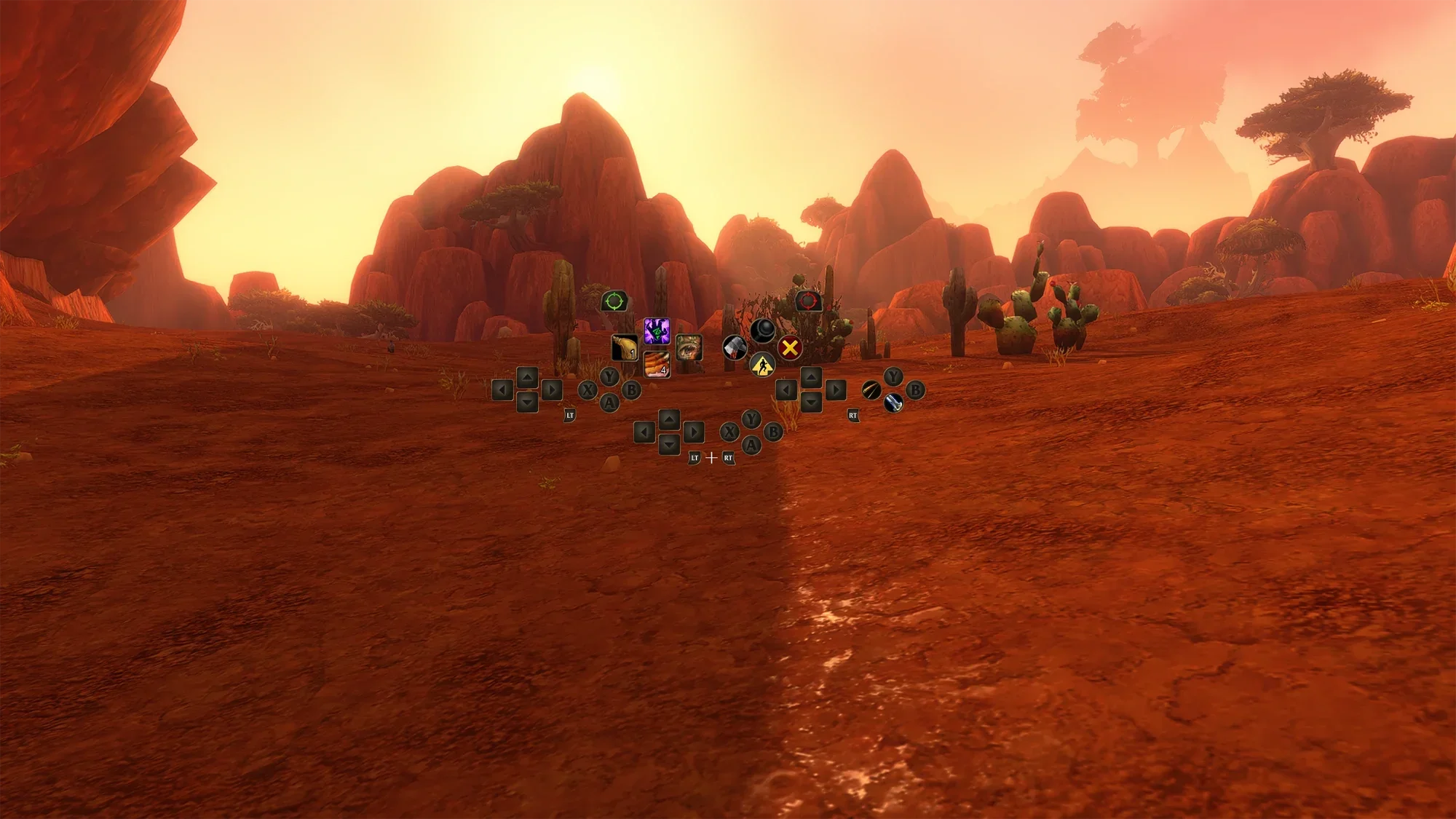 Image: Blizzard Entertainment
World of Warcraft: Forever, out since 4 November, can be played with a controller. Gamepad support works with any XInput-compatible controller, shows Xbox or PlayStation button icons, and is still what Blizzard calls a functional beta, so menus and bags are still being reworked. This guide covers how to set it up, what each button does, how to fit 84 spells on a gamepad, and the questions players ask most, like whether you can remap buttons. It's based on Blizzard's gamepad guide from 3 November and its WoW: Forever development notes on the official forums.
How to turn on gamepad controls
- Press Escape to open the Game Menu.
- Select Options.
- Under Gameplay, choose Gamepad to switch from keyboard and mouse.
In the same Gamepad settings you can adjust the camera, the HUD modifier, the frame focus style, the action bars, targeting and raid targeting. On controllers with supported lighting, the light turns red for a Horde character and blue for an Alliance one.
What each button does
Blizzard uses Xbox button names, so on a PlayStation controller read Cross for A, Circle for B, Square for X and Triangle for Y.
- Left stick: move
- Right stick: camera
- LB / RB: select a friendly or a hostile target
- X: interact
- A: jump
- B: back
- Y: inspect
- LT, RT or both: hold to switch action bars, release to go back to the default bar
- Menu button: main menu
- View button: change the focused frame
- LB + RB + right stick forward or back: zoom the camera
X, A, B and Y can also hold spells.
How the action bars work
The gamepad HUD shows four action bars with the same button layout. You reach them by holding LT, RT or both triggers. Blizzard's example for a Mage puts four spells on the same D-pad direction:
- Up: Polymorph
- LT + Up: Fireball
- RT + Up: Frostbolt
- LT + RT + Up: Blizzard
Those are only examples, and you choose what goes where. Need more room? Hold LB + RB and press Left or Right on the D-pad to switch between three action bar sets. Each set has four bars and 28 slots, so you get 84 slots for spells and abilities in total.
A good way to start is to put your most-used attacks on the default bar, defensive and healing spells on the LT bar, and situational spells and mounts on the RT and LT + RT bars, then try the layout somewhere quiet before your first busy fight, as Blizzard suggests.
Shortcuts
Hold LB + RB, then press:
- B: open your backpack
- Up: quest tracker
- Down: chat
- Y: manage buffs
The same features are also in the main radial menu.
Can you remap controller buttons?
Only partly. Blizzard's development notes say the gamepad interface bindings are static, and that rebinding a gamepad button only changes the keyboard and mouse interface. In practice, jump, interact, back, inspect and the targeting buttons stay where they are in gamepad mode. What you do control is which spell or ability sits in each of the 84 action bar slots.
Moving and resizing the gamepad action bars
The Gamepad Action Bar supports Edit Mode, so you can move it and change its layout the same way as the keyboard and mouse bars. Settings like the compact action bar now live in Edit Mode too. One known issue: switching into or out of the gamepad interface resets your active Edit Mode layout to the default preset, so set up your layout after you've picked your input mode.
Casting and combat on a controller
The Press and Hold Casting option works with a gamepad, so you can hold a button to keep casting a spell. A swing timer sits on the centre reticle, which helps melee classes time their attacks.
What still needs a keyboard
Typing in chat still needs a keyboard, so keep one nearby. A legend in the top-left corner of the screen shows the controls, and most screens have a footer listing what each button does, but not all of them yet. Blizzard says bags and menus are still being reworked for controllers, and that a keyboard-free game is the longer-term aim.
FAQ
Can you play WoW: Forever with a controller?
Yes. Turn it on in Options > Gameplay > Gamepad. Any XInput-compatible controller works.
Can you use a PlayStation controller?
The game shows PlayStation button icons as well as Xbox ones. Blizzard's guide uses Xbox names: Cross is A, Circle is B, Square is X and Triangle is Y.
Can you change which button does what?
You choose the spells on every action bar slot, but the core gamepad buttons like jump, interact, back and targeting are fixed. Rebinding only affects the keyboard and mouse interface.
How many spells fit on a controller?
84: three action bar sets, each with four bars and 28 slots.
How do you zoom the camera?
Hold LB + RB and push the right stick forward or back. More camera options are in the Gamepad settings.
Why did my action bar layout reset?
Switching between the gamepad and keyboard interfaces resets the active Edit Mode layout to the default, a known issue Blizzard lists in its notes.
Do you still need a keyboard?
For typing in chat, yes. Everything else can be done on the controller, though some menus are still being improved.
New to the game? Start with our WoW Forever beginner's guide, and our WoW Forever FAQ covers the price, Mac support and solo play. Still collecting rewards? Here's how to get the Pouch of Violet Dust toy from Twitch drops.